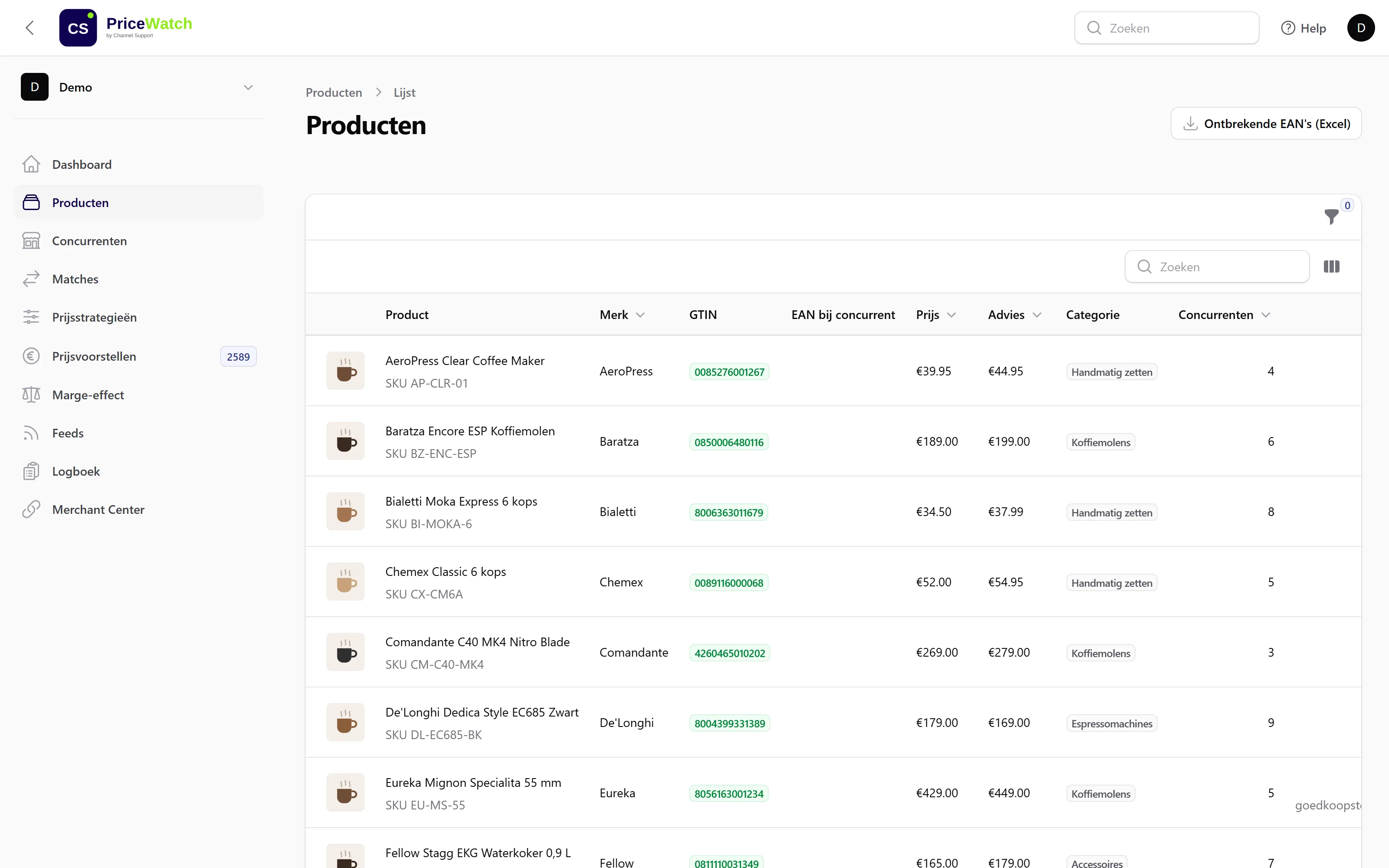
From invitation to live prices.
Seven steps you go through once. After that PriceWatch works every night, and in the morning all you have to do is decide.
- 1
Invitation by email
After the demo we set up your environment. You receive a personal invitation to activate your account.
- 2
Log in with an authenticator app
Two-factor authentication (2FA) is mandatory for everyone. Link an authenticator app on your phone and log in.
- 3
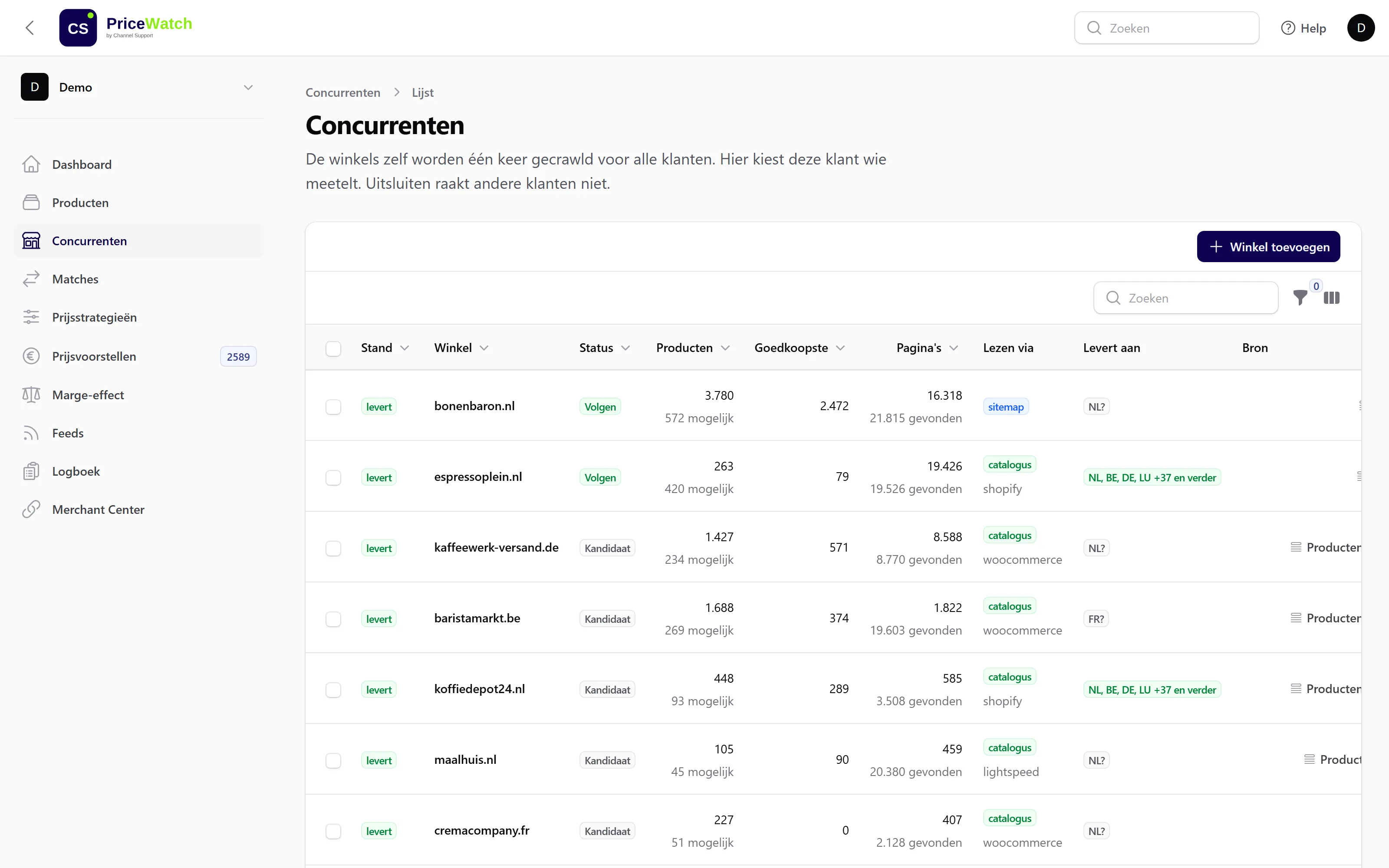
Choose competitors
Select the web shops you want to follow. From the following night we monitor their public prices.
The competitor overview. This is where you choose, per web shop, whether to follow it. - 4
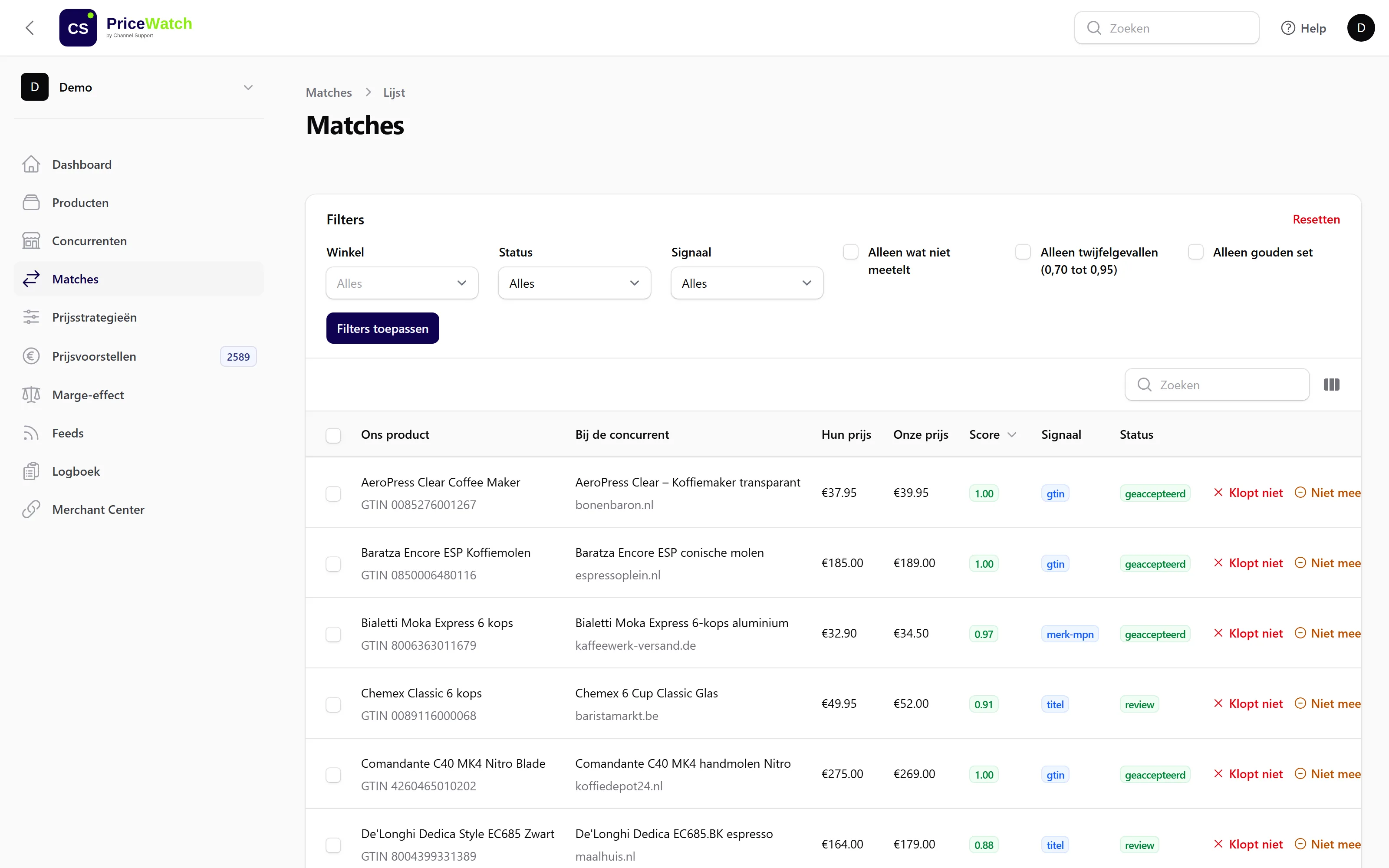
Review matches
Certain matches (on EAN) are ready right away. You check doubtful cases once in the review list.
Every match with its score and signal. Doubtful cases are marked for review. - 5
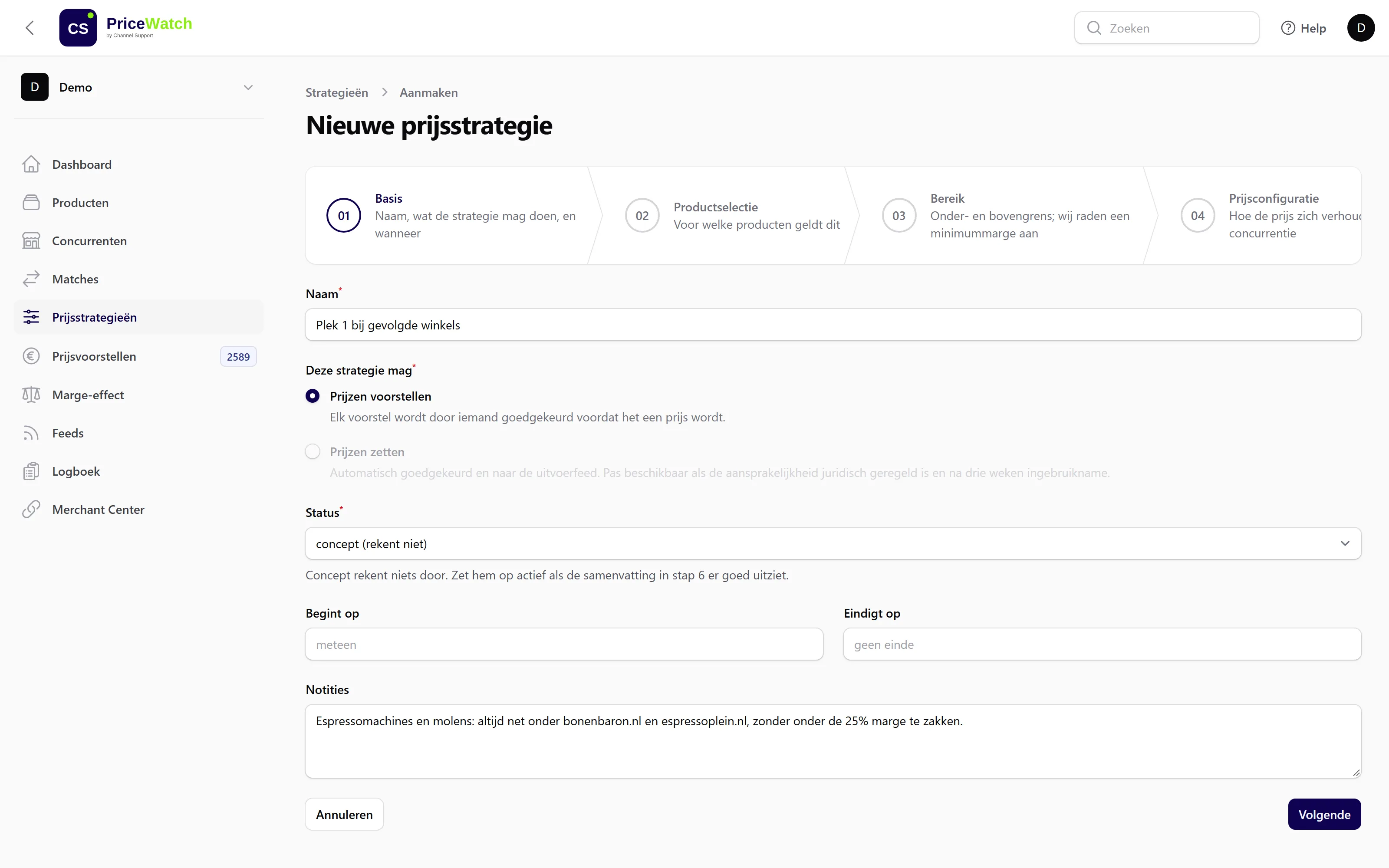
Build a strategy in six steps
The wizard asks, in order, for:
- a Products
- b Competitors
- c Target position
- d Margin and limits
- e Rounding and pace
- f Review
The wizard starts with the basics: name, what the strategy may do and when. - 6
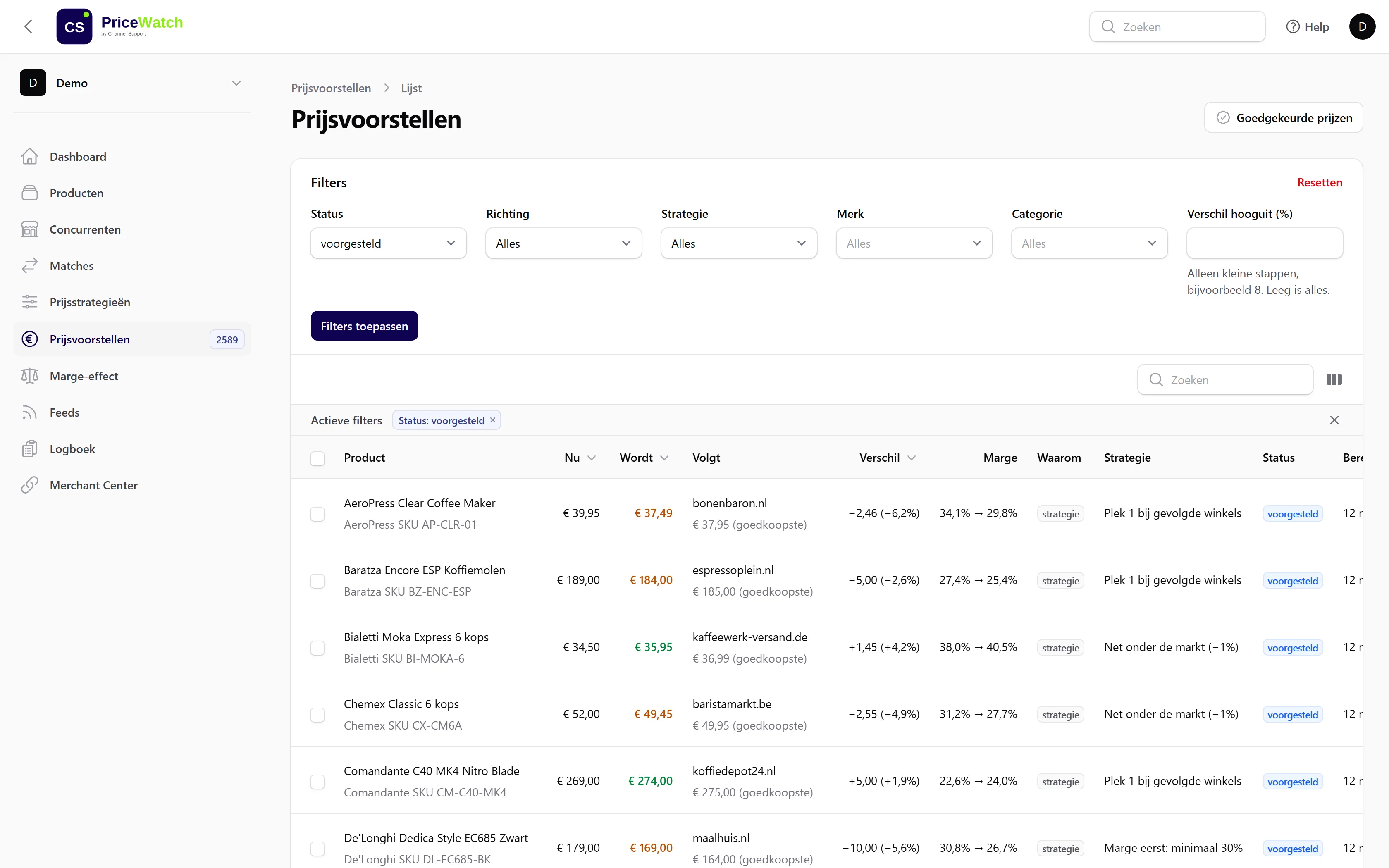
Approve proposals
Every morning you review the proposals. Approve, adjust or reject, one by one or in bulk.
For each proposal you see the new price, who you follow and what it does to your margin. - 7
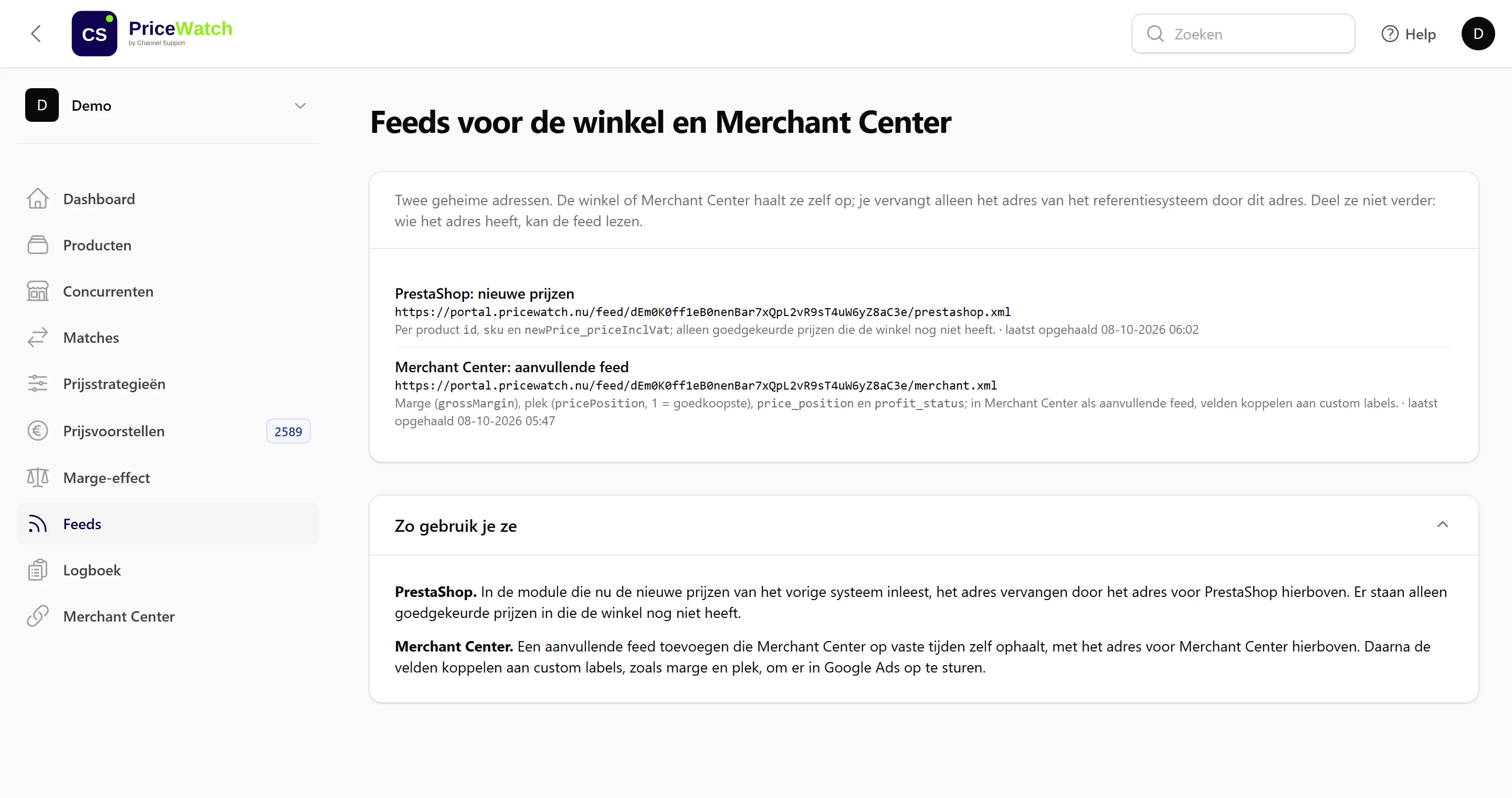
Connect feeds
Connect your web shop through PrestaShop, Shopify, WooCommerce, Shopware, Magento or the XML feed. If you use Google Ads, add the supplemental feed with margin and rank in Merchant Center. From then on approved prices go live automatically.
Two feed addresses: one for your web shop, one as a supplemental feed in Merchant Center.
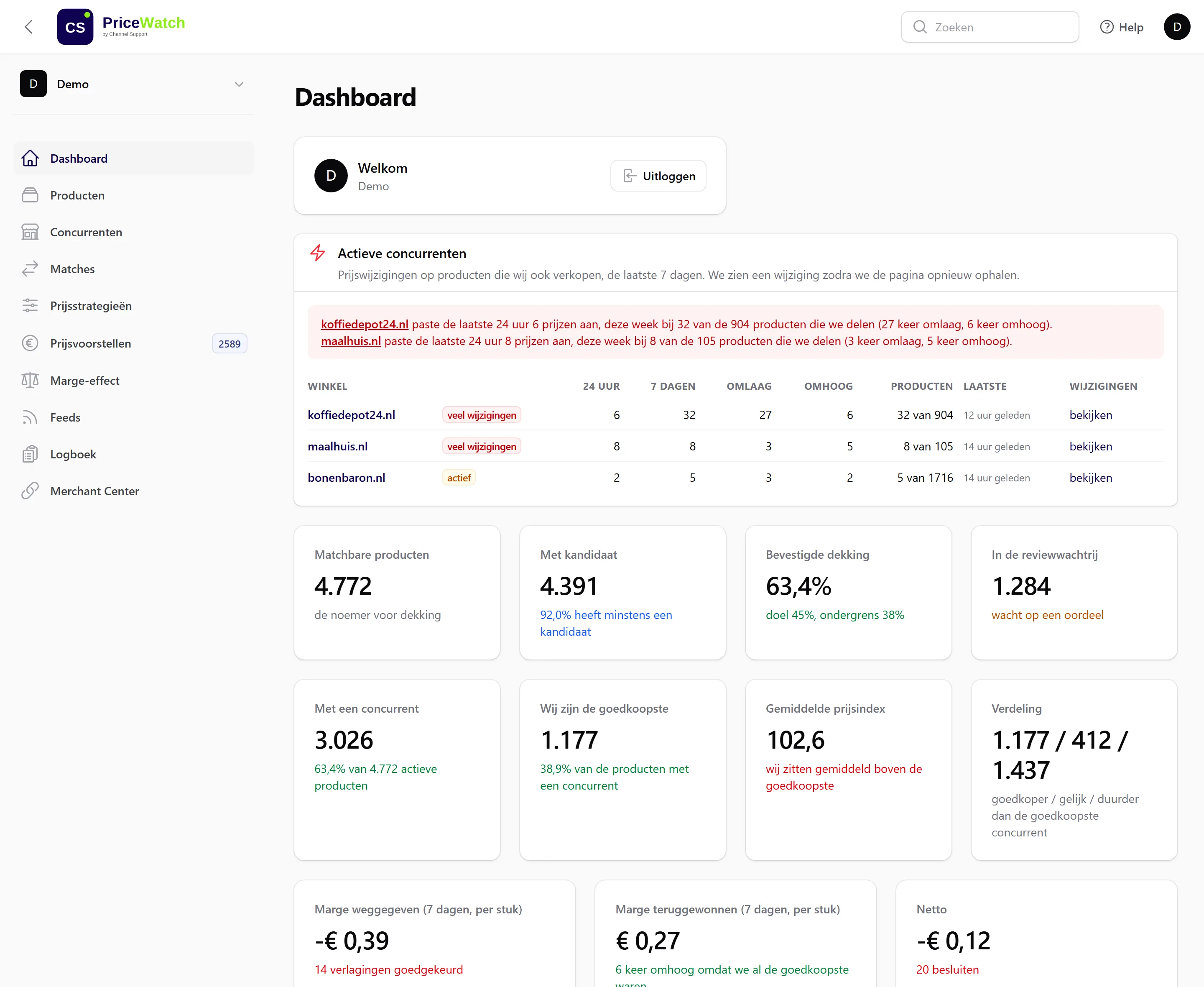
Refresh at night, decide in the morning.
Refresh prices
At night PriceWatch monitors the public prices of the web shops you follow. Then it calculates your proposals.
Proposals ready
The list is ready with your first coffee. Whatever you approve goes to your web shop with the next update.
The words you’ll see in the portal.
- Rank
- Your position relative to the competitors you follow. Rank 1 is the cheapest.
- Price index
- Your price relative to the market, where 100 is equal. An index of 104 means 4% more expensive.
- Expiry period
- A competitor price not confirmed for 7 days no longer counts towards rank, index or proposals.
- Quarantine
- A competitor price that deviates unusually strongly is set aside. No proposal is based on it until the price is confirmed.
- Pace
- How fast a strategy moves towards the target price. A lower pace spreads a large step over several days.